How We Built Media Retrieval for Tars Knowledge Bases

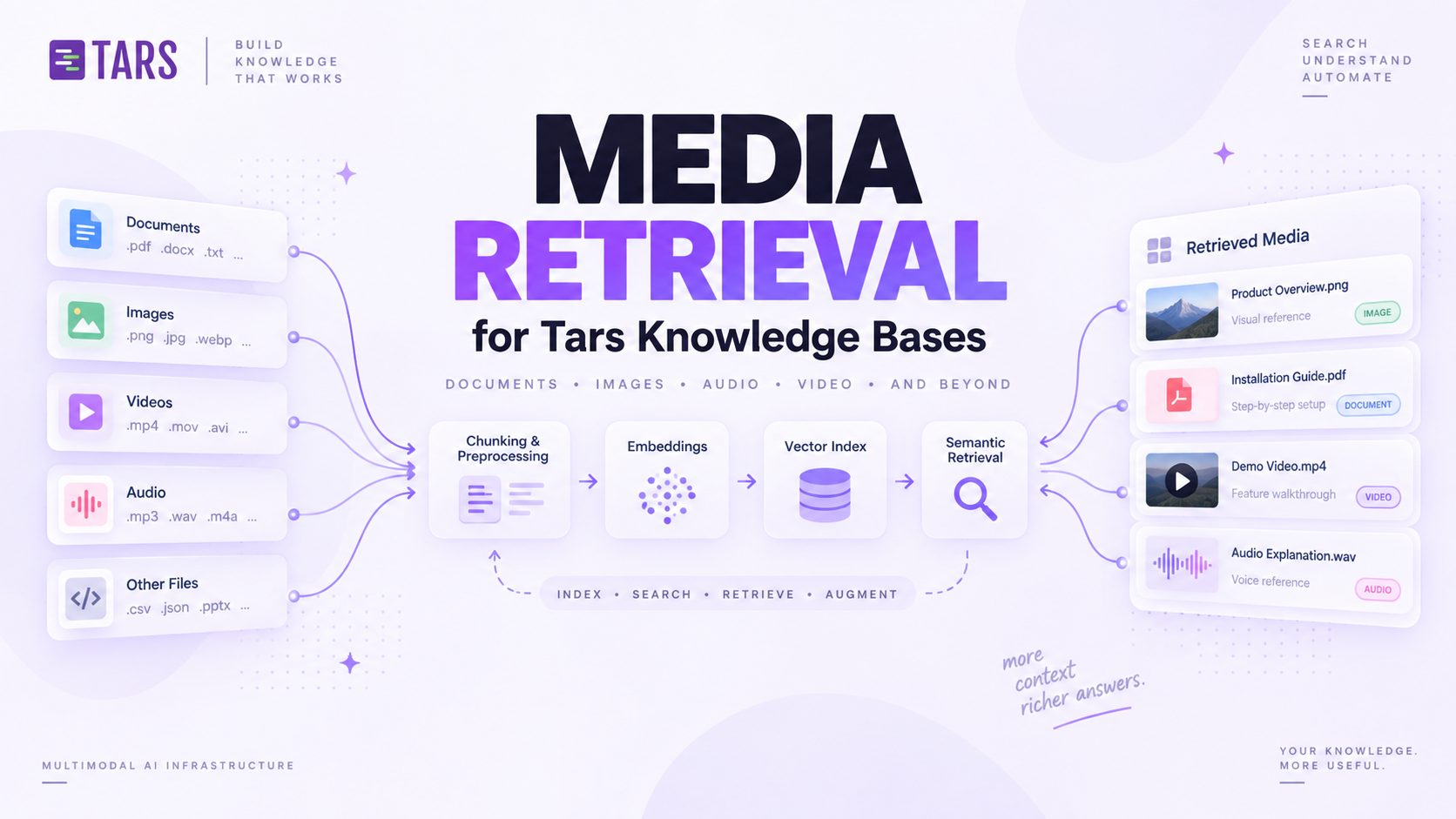
Text retrieval is familiar: split documents into chunks, index them, retrieve the relevant passages, and let the model answer.
Media retrieval looks similar at first. It is not.
An image, video, or document link has very little searchable information on its own. An image might have an alt tag like "banner." A video may be embedded without a useful title. The useful context often lives around the media, not inside it.
We built media retrieval so a Tars agent can find images, videos, and document links from a knowledge base and use them in an answer. This is the story of the approaches we took, the constraints that changed the design, and why the final system treats the vector database as a search index, not the source of truth.
The first problem: media is not text
A normal knowledge-base document has paragraphs of text to index. Media does not.
An image carries a filename, maybe an alt attribute, maybe nothing at all. A video embed often carries only a player URL. A document link carries a URL and, if you're lucky, anchor text. None of that is enough to answer "find the onboarding video" or "show me the architecture diagram."
Our first attempt was to avoid solving that problem directly, and reuse the text retrieval system we already had.
The brute-force way: piggyback on text retrieval
When the agent ran knowledge retrieval, text search returned the most relevant document chunks. We linked each chunk to the images, videos, and document links found within that chunk, then returned those media items to the agent.
User query
  -> retrieve relevant text chunks
  -> collect media linked to those chunks
  -> return a small media menu to the agent
This was efficient and intuitive. If the relevant answer text was retrieved, the related media would usually come with it. No separate index, no separate embedding step, no extra infrastructure. It piggybacked entirely on a system that already worked.
But it did not work well enough in practice.
A document can discuss a topic in one section and place the relevant image much farther down the page. Product docs in particular do this constantly: three paragraphs of explanation, then a screenshot at the very end of the section, sometimes past a heading boundary that our chunker treated as a split point. If the text retriever selected the right paragraph but not the chunk containing the image, we skipped the image entirely.
The media was relevant. It was simply not close enough, in chunk terms, to the text chunk that won retrieval.
What chunk-linking actually optimizes for
Chunk-linked media retrieval answers "what media sits next to the best-matching paragraph," not "what media best answers this query." Those are the same question only when a document's layout happens to keep media and its explanation in one chunk, which is often true but not reliable enough to build on.
The lesson was simple: text retrieval is useful context, but it cannot be the only gate for media discovery. We needed media that could be found on its own terms, independent of whether the surrounding paragraph happened to win a text search.
A better approach: give every media item its own context
We needed a representation that explained what each media item was about, without depending on a text chunk finding it first.
For every image, video, or document link, we built a media-specific retrieval context from three sources, in order of trust:
- Manually curated context, when a user has supplied it. This comes from an actual field in the knowledge-base editor: whoever uploads or links a media item can attach a short description, and that description is treated as the highest-confidence signal available. It's the only source that reflects what a human actually meant the media to represent.
- Context scraped from the source page, pulled from the text immediately surrounding the media at ingestion time: headings above it, the paragraph it sits in, a caption if the source markup has one.
- Alt text, as a fallback, when neither of the above exists. Alt text is the weakest signal in this stack. It's frequently missing, frequently generic ("image1," "banner"), and was never written with search in mind.
Conceptually, the input looked like this:
mediaSearchText =
  manualContext
  + nearbyDocumentContext
  + altText
  + selectedMetadata
This is a rough version of the formula. The important point is that every media item gets its own searchable description, built independently of any other media on the same page.
The context is deliberately media-local. We did not attach the entire page's text to every image, because that creates false associations.
Why not just index the whole page per image?
A page with ten images and one topic sounds like a shortcut: attach the full page text to every image, and every image inherits full relevance. In practice it does the opposite. All ten images become equally "relevant" to every sentence on the page, so a query about paragraph three surfaces an unrelated screenshot from paragraph nine just as confidently as the one that actually illustrates it. Media-local context keeps each item's signal tied to what it's actually near.
Once we had a searchable representation, each media item was embedded and stored in its own media index, separate from the normal document-chunk index. This made media independently retrievable: a query could now hit a relevant image directly, without ever needing to first retrieve the text chunk it happened to sit inside.
Video got the least out of this design, and it's worth naming that directly. A video's on-page context is usually a title and maybe a short caption, thinner than what a typical image or document link gets from a surrounding paragraph. Manual context does more work for video than for any other media type, because there's often nothing else to scrape.
Choosing a search mode: vector, BM25, or an exact date
With media indexed independently, we could search it directly across enabled knowledge bases. The next question was how to rank results once that search actually ran.
Our first assumption was that we'd want some form of hybrid scoring: run both vector and BM25 search, then merge the two result sets with a fusion formula. We didn't end up building that. Fusing two ranking signals means tuning how much each one is trusted relative to the other, and that tuning has to be right across every query shape a knowledge base can throw at it. Instead, the system picks exactly one retrieval mode per query and stays inside it:
| Mode | When it runs | Ranked by |
|---|---|---|
| Vector search | Default, when no exact constraint is detected | Descending cosine similarity |
| BM25 search | Caller explicitly sets searchMode: "bm25" | BM25 score |
| Date-constrained search | An exact, unambiguous date is detected in the query (unless vector is forced) | BM25 score, then verified against the media's live searchable text |
Vector search covers the common case: "show the architecture diagram" or "find the onboarding video" are requests about meaning, and cosine similarity over the media embeddings handles that well. BM25 covers the opposite case: a title, an identifier, or any query where the exact term matters more than the paraphrase. Neither mode is layered on top of the other; the system decides up front which kind of question it's answering.
Exact dates taught us that ranking is not correctness
Dates were the case that broke this cleanly binary picture, and the reason the third row in that table exists at all.
A user asking for "the recording from December 3, 2019" is not asking for something approximately related to that date. The date is a hard constraint, not a preference to rank higher.
Vector search could find media related to the right topic but attached to the wrong date, and rank it just as confidently as the correct item, because semantically "a recording about the topic" is still a good embedding match regardless of which date it happened to be from. Switching to BM25 for date queries improved recall, but ranking alone was still not enough. A result whose surrounding text happened to contain the tokens "December," "3," and "2019" in any arrangement could outrank the actually correct item for the wrong reasons, especially once a knowledge base has more than one media item near a date-like string.
We added two safeguards on top of routing date queries to BM25.
First, we normalize complete, unambiguous dates into one canonical form:
December 3, 2019 -> 2019-12-03We index a marker based on that normalized value alongside the media's searchable text. This gives lexical retrieval a high-signal exact term to match against, rather than asking it to infer meaning from three separate month, day, and year tokens scattered across a sentence.
Second, BM25 does not get the final say. Every date candidate is checked against the live media context before it is returned. A result survives only when its local context actually contains the requested date. Retrieval finds candidates; a separate verification step decides correctness.
Search finds candidates.
Verification decides correctness.
That separation, between what a ranking function returns and what actually gets shown to the agent, turned out to matter well beyond dates.
Why we added a dedicated media-search tool
The automatic media menu described in approach two still began from normal knowledge retrieval: text search ran first, and media attached to the retrieved results was suggested alongside the answer. That's a real improvement over chunk-linking, because media no longer has to live in the exact chunk that wins retrieval. But it's still gated by text search running and returning the right parent document at all. If text search didn't surface the document a media item belonged to, that media item was still invisible, independent index or not.
We added a dedicated media-search tool so the agent can search media directly, on its own query, rather than only inheriting whatever came along with a text result.
Knowledge retrieval
  -> retrieve text
  -> automatically suggest related media

Dedicated media search
  -> search media across the knowledge base
  -> vector search for descriptive requests
  -> BM25 (+ date verification) for exact or literal requests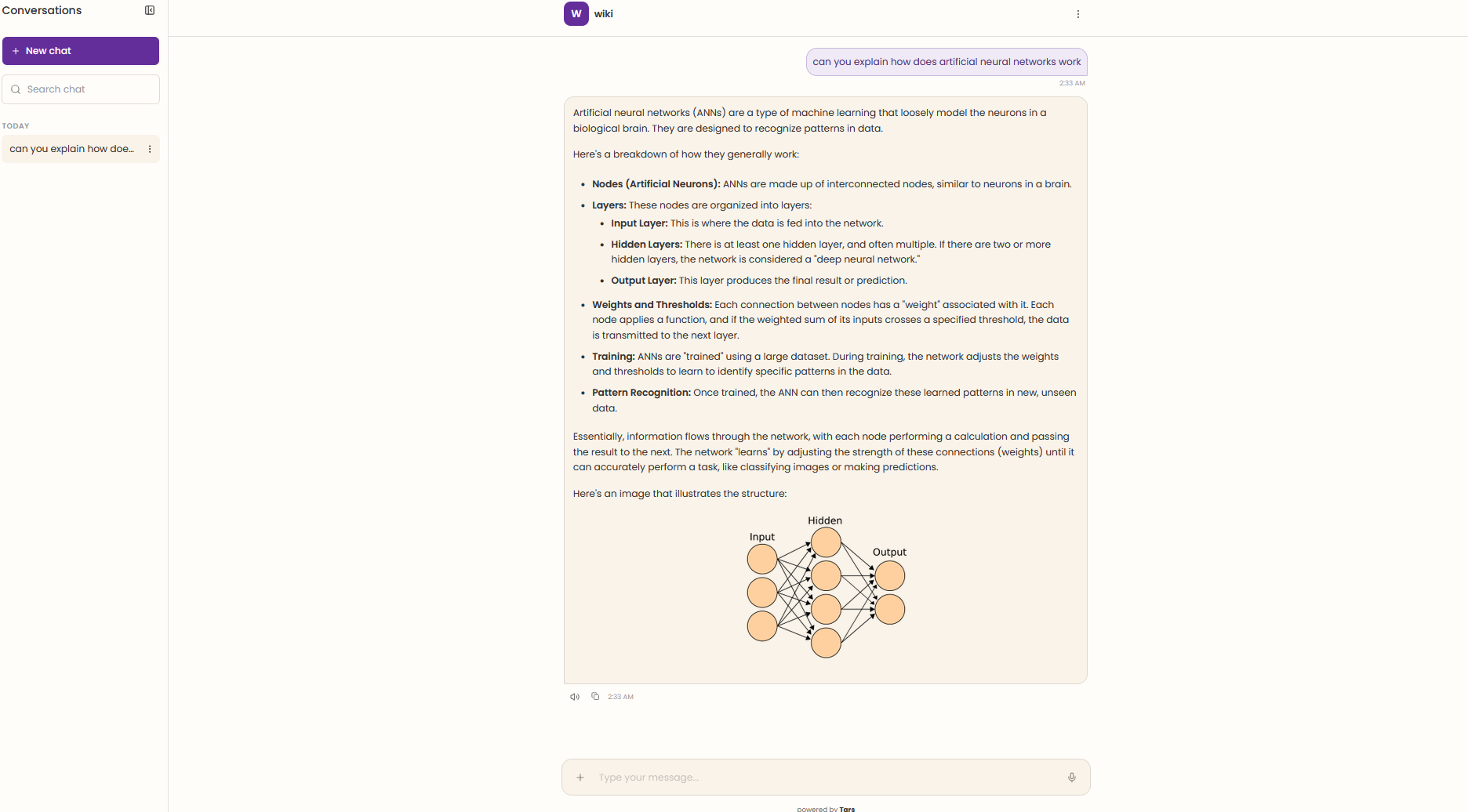
This gives the agent two paths instead of one. The automatic path stays cheap and works for the common case where a relevant document is also retrieved. The dedicated path lets the agent refine a search when the automatic menu missed an asset, or skip straight to media search when the request is clearly media-first, like "do you have a diagram for this" with no other question attached.
The vector database is not the source of truth
A vector hit is a candidate, not a product result, and this is the principle that ties every earlier decision together.
Media can be hidden, deleted, replaced, or updated after a vector is written. A knowledge base is a living thing: someone swaps out a stale screenshot, removes a video that referenced a deprecated feature, or unpublishes a document link entirely. None of that touches the embedding sitting in the vector index, which happily keeps returning the old media as a confident match until something forces a re-index.
Before returning any candidate, we validate it against the live media records to ensure it still exists, belongs to the right knowledge base, is visible, and matches the current version. Only then do we rank, deduplicate, and return the final media menu.
This is the same shape as the date-verification step: the index is fast and approximate, so treat its output as a shortlist, and let a check against live state decide what's actually correct before anything reaches the agent. Once we'd built that pattern for dates, applying it to the index-versus-reality gap for the entire media pipeline was a natural extension, not a separate design.
Where we landed
Document ingestion
  -> extract media
  -> build media-local context (manual > scraped > alt text)
  -> index for vector and lexical search

Customer question
  -> vector search for semantic media requests
  -> BM25 + normalized date marker for exact-date requests
  -> direct media search when text retrieval is insufficient
  -> validate against live state before serving results
The biggest lesson was that media retrieval is not text retrieval with images attached. Media needs its own context, built media-local rather than inherited from a whole page. It needs its own search path, so it's reachable without depending on a text chunk finding it first. And it needs stricter verification than text ever did, because a media item can go stale, get deleted, or lose the specific literal constraint (a date, an identifier) a user actually asked for, in ways a paragraph of prose rarely does.
That separation is what lets a Tars agent find media that chunk-linked retrieval would have skipped, and use it without trusting stale search-index state.
This is v1. The context-building, ranking, and verification steps described here are still evolving as we see how agents actually use media search in production.
Build innovative AI Agents that deliver results
Full Stack Development intern at Tars.


Recommended Reading: Check Out Our Favorite Blog Posts!
CodeKit: Code-Level Tools for Agents, Without the Wait

How Prompt Caching Cut Our AI Agent Costs by 63%
The Tars Blog: From WordPress to Webflow and MDX