Identity and Data Protection: personal data can be redacted or masked before storage

A customer types a card number into your support chat. Nobody asked for it. With personal data protection on and the card number rule switched on, Tars replaces that number before it stores the message, so the transcript holds asterisks where the number was.
That is the center of Identity and Data Protection, the latest update to Tars. An Admin picks which personal data to detect, and whether to redact it or mask it. A team member can reveal a masked value for 60 seconds, and each reveal goes in the audit log. Tars support erases an end user's personal data on request. That is how AI agent data protection works in Tars.
In a security review, our honest answer used to be a list of certifications. Tars is SOC 2 Type 2, HIPAA, ISO 27001 and GDPR compliant. It still does not tell a reviewer what happens to the card number.
Personal data can be protected before it is stored
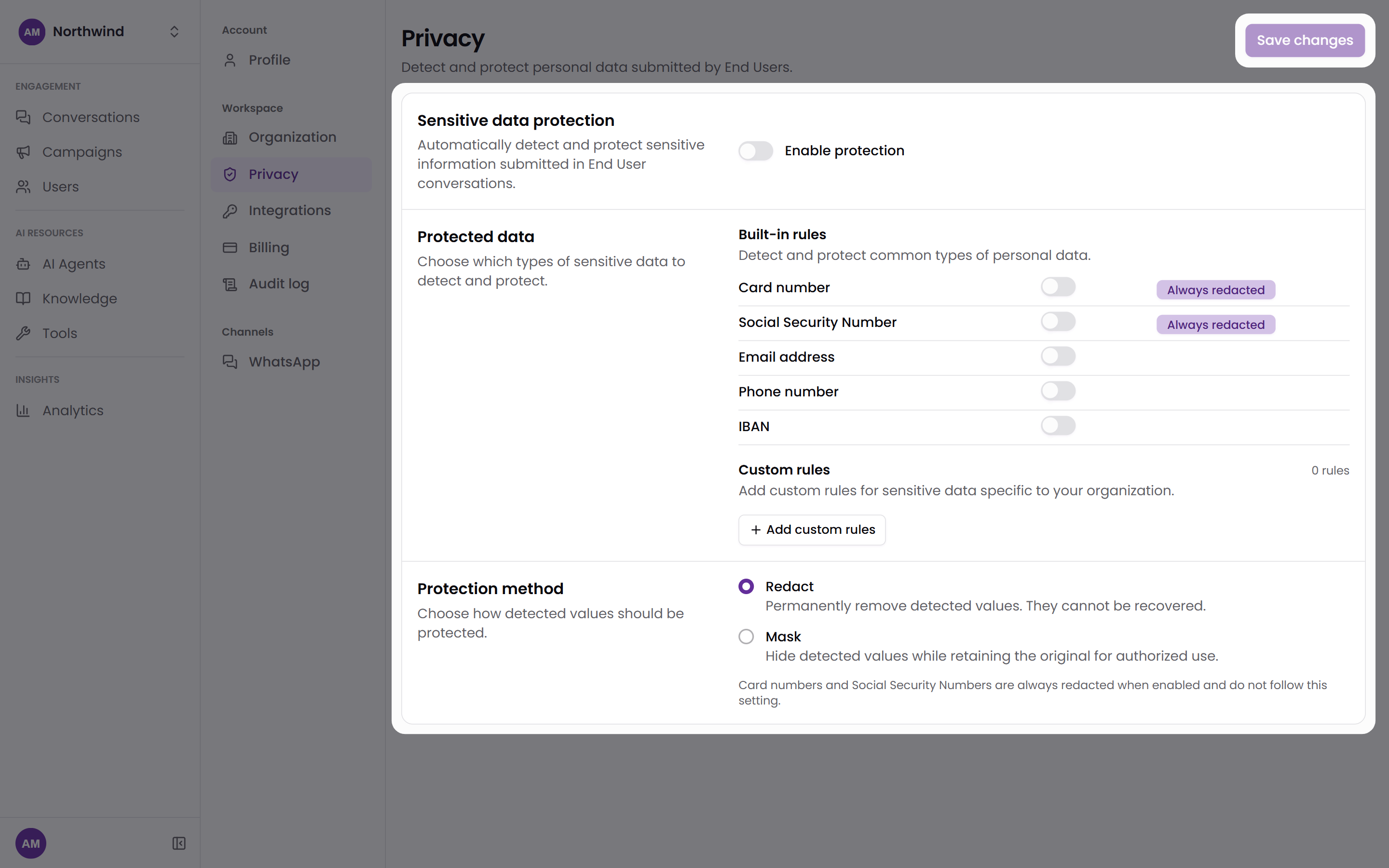
Personal data protection is off until an Admin turns it on.
Open Settings and select Privacy. Switch on Enable protection, pick your rules and save. It applies to the whole organization, to new data from that save onward.
With protection on, Tars checks what your customers send, before it stores it. That covers their messages, their answers in a flow, and their answers in a form the AI agent shows. It also covers CSAT feedback text, and the name, email address and phone number a conversation captures for a profile.
There are five built-in rules, each with its own switch: card number, Social Security Number, email address, phone number and IBAN.
You can add up to 25 custom rules for data that is specific to you, such as an internal account number. A custom rule is a name and a regular expression. A test box shows what the rule matches, with a redacted preview, before you save it.
Redact removes the value, Mask keeps an encrypted original
You pick one protection method for the organization.
Redact stores one asterisk for each character of the value. Tars does not keep the original, so it can never come back, in any file.
Mask stores a placeholder such as [EMAIL] or [PHONE]. A custom rule uses its own name in capitals. Tars keeps an encrypted original, and authorized members can see it until it expires.
In Mask mode you also set how long the encrypted originals are kept. You can keep them indefinitely, or delete them after 1 to 365 days. When the window ends, Tars deletes the original and the placeholder stays in the conversation.
A masked value can be revealed for 60 seconds, and the reveal is recorded
Sometimes a human agent needs the real phone number to call someone back.
In live chat, a member who can open the conversation selects the placeholder, and Tars shows the original for 60 seconds. This works for a masked value in a message, in a profile field or in CSAT feedback.
Each reveal writes an audit event. It reads "viewed personal data for an end user" and sits in the Data access category.
While a masked original lasts, it also travels in conversation exports, in Activity data view exports, and in transcripts a member downloads or sends from the Conversations page. Conversation exports are limited to the Admin and Auditor roles. The transcript your customer downloads from the widget keeps the placeholder.
In Mask mode, a form can collect a date of birth that the AI agent does not see
The AI agent can show a form in the conversation. When the whole answer to a field is personal data, like a date of birth, the agent can mark that field as protected. Tars then protects the full answer.
In Redact mode the answer is stored as asterisks. In Mask mode it is stored as a placeholder made from the field label, such as [DATE_OF_BIRTH].
In Mask mode, the AI agent does not see the original of a protected answer. It gets a reference that it can send to a tool.
Tars puts the original into the tool call only when the call runs. In the tool result, Tars swaps the original back to the reference before the agent reads it. The execution log for that action stores its input and output as redacted. In Redact mode, Tars does not keep the original, so no tool can receive it.
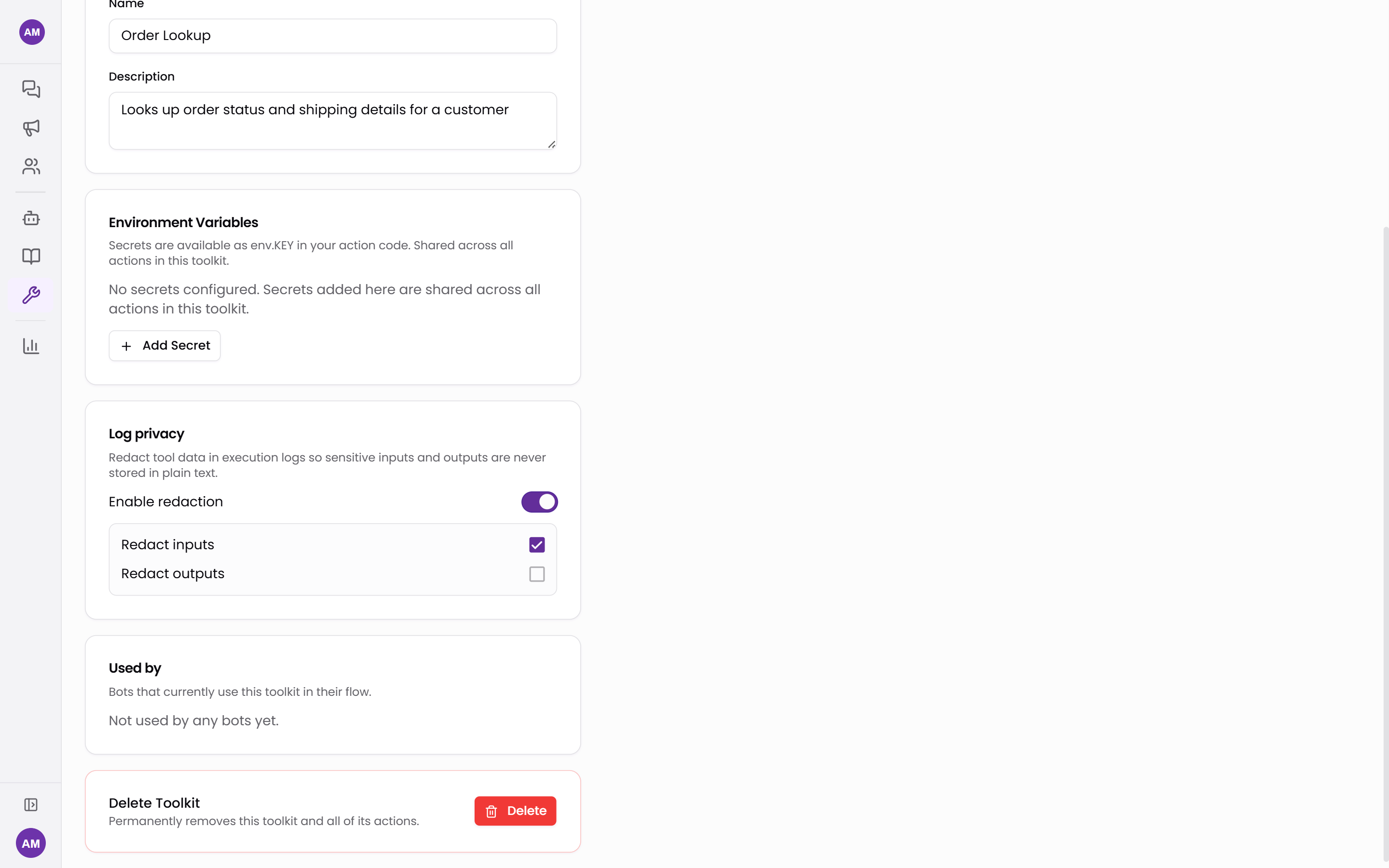
Each toolkit connection also has a Log privacy card. Turn on redaction and tool inputs are stored as [redacted]. Tick one more box and outputs are too.
When a customer asks to be erased
Erasure is carried out by Tars support, on request. You write to support, and our team runs it for your organization, for up to 100 end users in one request.
An erasure replaces the end user's profile fields, conversation details, message content and CSAT feedback with a dated redaction marker. It also deletes any originals kept in Mask mode.
When it finishes, your audit log records the event security.pii_erased in the Data access category. The description reads "TARS Support erased end-user personal data".
Every organization lives in one data region
Tars runs data regions in the United States, the European Union, India and Qatar. Every organization lives in one of them.
The region is not a setting you change in the dashboard. An organization you create from the dashboard is placed in the United States. To start in another region, or to move an existing organization, you write to support.
The API has a base URL for each region, and a key issued in one region does not work in another. The dashboard shows the right base URL beside your API keys.
The widget embed carries a region code: us, eu, in or qa. An unknown code stops the widget from loading and logs an error in the browser console.
Nobody at Tars has standing access to your organization
Tars staff have no standing access to your organization.
When support work needs access, a Tars admin grants one staff member a temporary membership. The grant carries one of your five roles and a written reason. It lasts 30 minutes, 1 hour, 2 hours or 4 hours, and then it ends on its own.
While a grant is active, the staff member appears in your Members list, under Settings and Organization. Any Admin can end it there with Remove member. A support membership cannot hold a live-chat seat, so our staff cannot reply to your end users from the inbox.
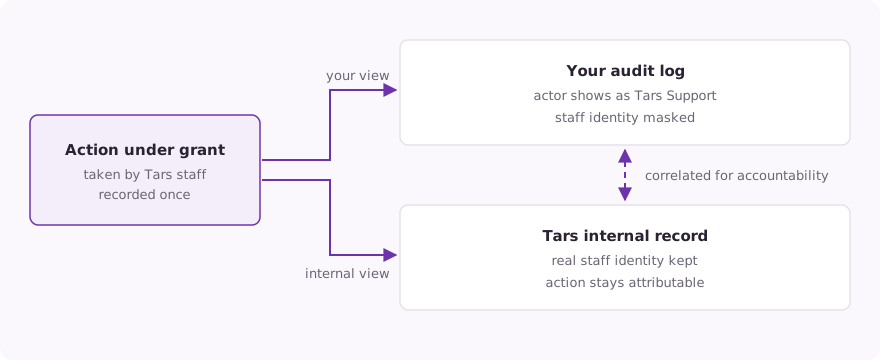
Every action taken under a grant appears in your audit log with the actor TARS Support and a Support badge. Open the row and the drawer shows TARS Support as the actor, with no name or email, and the reason the staff member typed. We keep a linked internal record with the real staff identity, so every action still traces to one person.
An audit log you can verify yourself
The audit log is on every plan, for the Admin and Auditor roles. Open Settings and select Audit log.
Each row is one event. Select a row and a drawer shows the actor, the target, the typed reason and what changed.
Each record also carries a hash that chains it to the record before it. A changed, inserted or removed record breaks the chain.
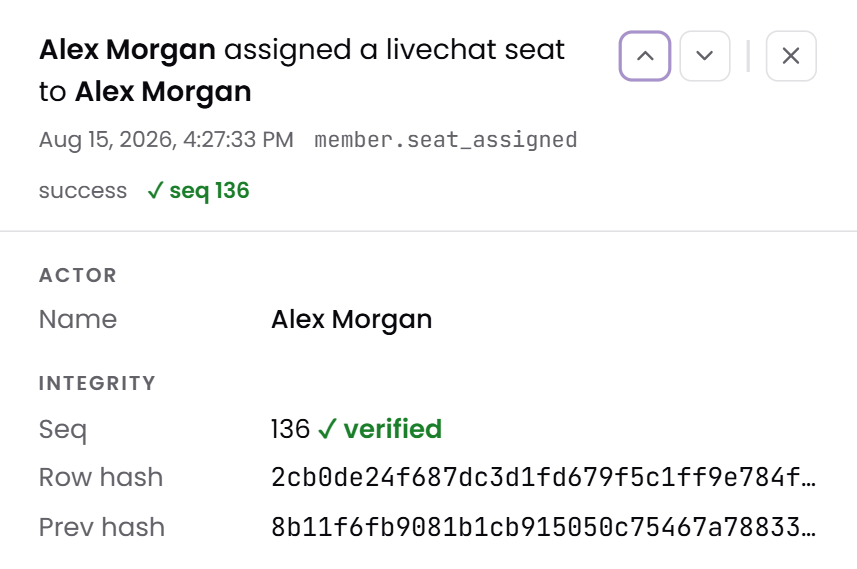
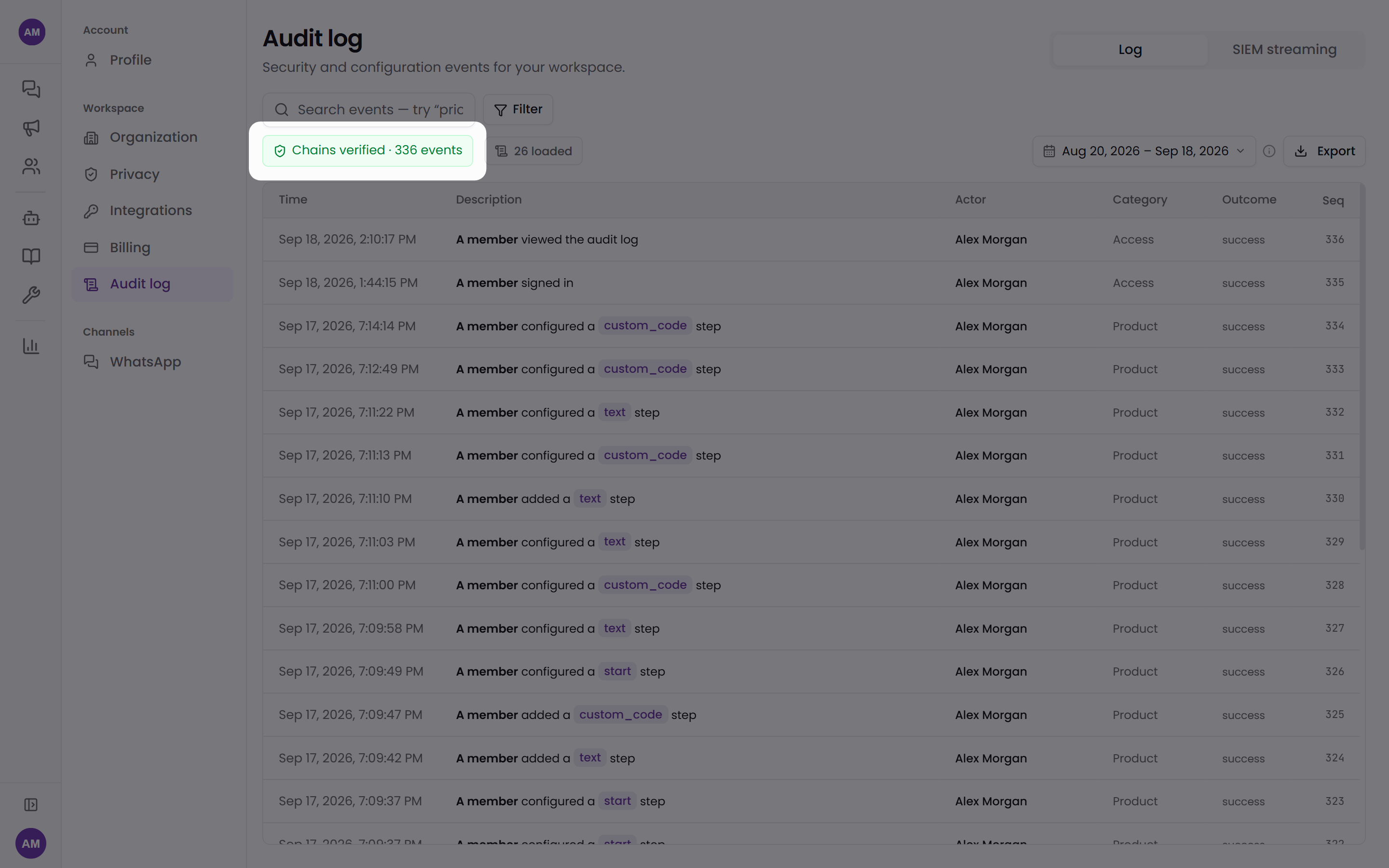
You can export the log as CSV or JSON, and each export is recorded as an event too. The log is searchable for 30 days on Free, 90 on Premium and 365 on Enterprise. Older audit events move to a seven-year archive that exports can reach.
On the Enterprise plan, an Admin can also stream audit events to a SIEM through Splunk HEC, Amazon S3 or a signed HTTPS webhook. You choose which event groups stream. Campaign events and actions by Tars support are not in those groups. Support actions stay in the dashboard log and its exports.
Verified identity that unverified browser data cannot overwrite
An anonymous visitor gets help right away. Their profile carries an Anonymous badge until a verified source confirms an email address or phone number. Then the badge reads Identified.
Inside a conversation there are two ways to get there. Your server can pass a signed identity, or the customer can confirm a one-time code, which the AI agent can send after asking for an email or phone.
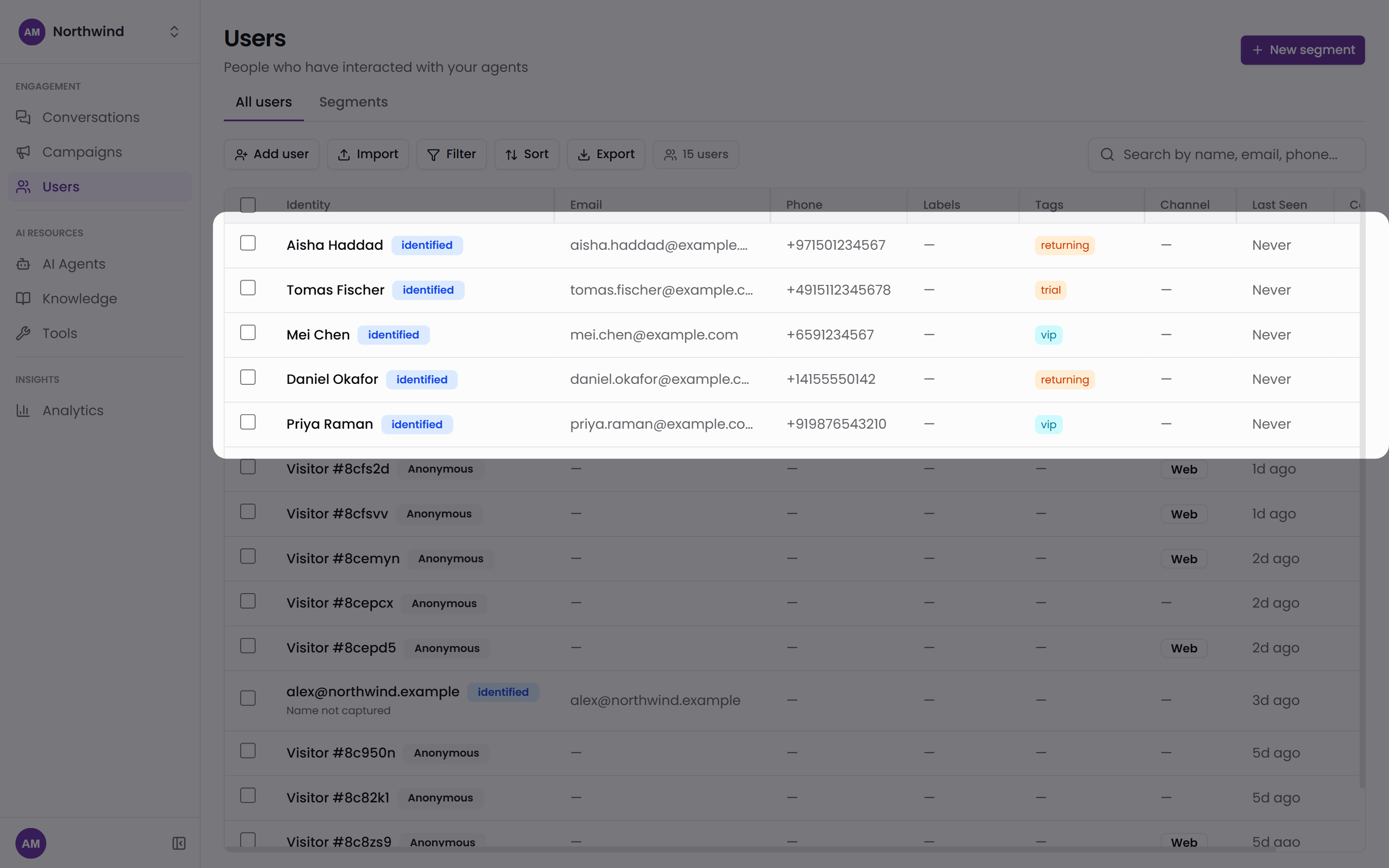
When a verified match is found, the anonymous profile merges into the identified one. Its conversations and segment membership move across, and any missing name, email, phone or channel identifier is filled in.
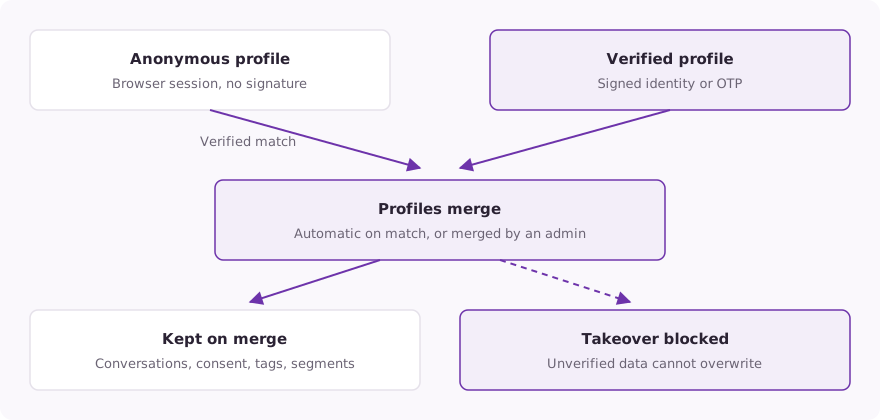
Signed identity stops one end user from claiming another end user's conversation history in the widget. Your server signs the identity with your organization's key. Editing data in the browser cannot produce a valid signature, so an impersonation attempt lands in an anonymous conversation instead.
When you regenerate the key, the previous key keeps working for 24 hours.
What this changes for a CX team
If you run support or marketing in a regulated industry, the security questionnaire is the part of a vendor evaluation you cannot delegate.
Healthcare and insurance teams get asked the same things each time. They want to know what happens to the data customers type, who can see it, and whether you can delete it.
Those now have short answers, and each one has a page in the Tars docs behind it.
If you are evaluating an AI agent platform right now, ask every vendor one plain question. What happens to a card number a customer types into the chat?
Build innovative AI Agents that deliver results
Ish is the co-founder at Tars. His day-to-day activities primarily involve making sure that the Tars tech team doesn’t burn the office to the ground. In the process, Ish has become the world champion at using a fire extinguisher and intends to participate in the World Fire Extinguisher championship next year.


Recommended Reading: Check Out Our Favorite Blog Posts!
Tools & Integrations: built-in, connected and custom tools an AI agent can call
Generative UI: your AI agent renders tables, charts and forms inside the chat
Agent Evals: how we test AI agents with simulated customers and human-aligned judges