Tools & Integrations: built-in, connected and custom tools an AI agent can call

You give an AI agent access to your systems by giving it tools. Tools & Integrations is the Tars update that does this. An agent's tools come from three places: built-in capabilities you switch on inside each agent, connected toolkits for the software you already run, and custom tools you write yourself. Connected toolkits and custom tools live on one Tools page. You choose which actions an agent can use, you can see whether each connection is healthy, and a tool that runs as a flow step gets its own failure route.
This post is mostly about the second half of that, because the connecting is the easy part.
Ask an agent with no tools where your order is, and you get a tidy paragraph about how order tracking works. Give it the right tool and it goes and gets the order.
Where an agent's tools come from
AI agent tools and integrations in Tars come from three sources.
Built-in capabilities. Web search, running code, generating files like PDFs and CSVs, pulling structured data out of messy text, and reading files a customer sends in the chat. These ship with the platform. Each one starts off, and you switch on the ones an agent needs, inside that agent.
Connected toolkits. The software your team already uses: CRMs, calendars, ticketing systems, spreadsheets, and whatever else you find in the Directory tab. You connect them with OAuth or an API key, and each connection shows its health on screen. You do not need a developer for this part.
Custom tools. When the thing you need is specific to your business, a developer writes it in TypeScript inside Tars. That is CodeKit.
Every action starts switched off
I did not expect to care about this one. It is now the first thing I point at.
A connected toolkit comes with dozens of actions. A calendar toolkit can create events, delete events, manage attendees, edit permissions. Your agent probably needs two of those.
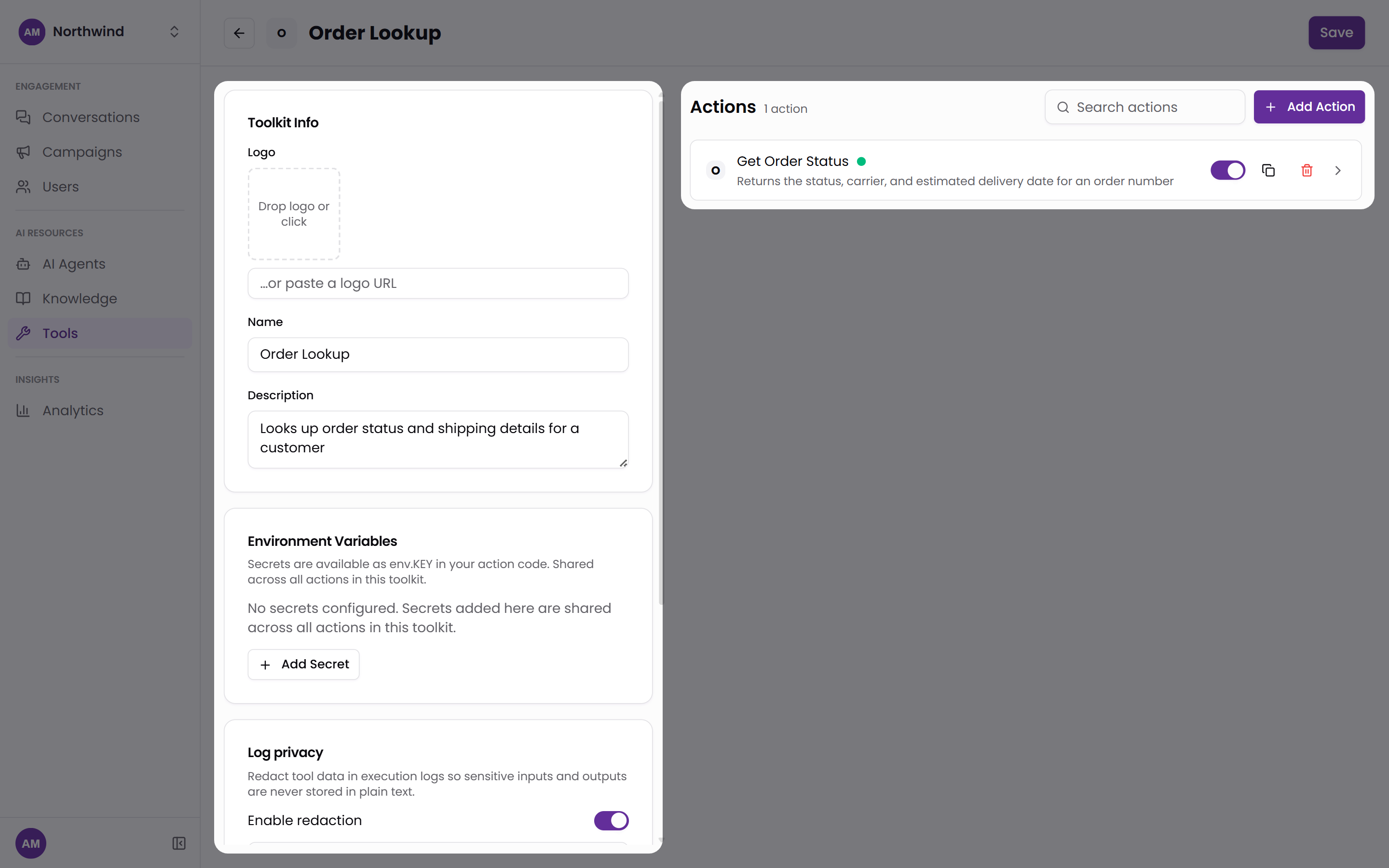
You then decide in two places. The toolkit page holds one switch per action for the whole organization. Only actions switched on there can be picked to run as a fixed step in a flow.
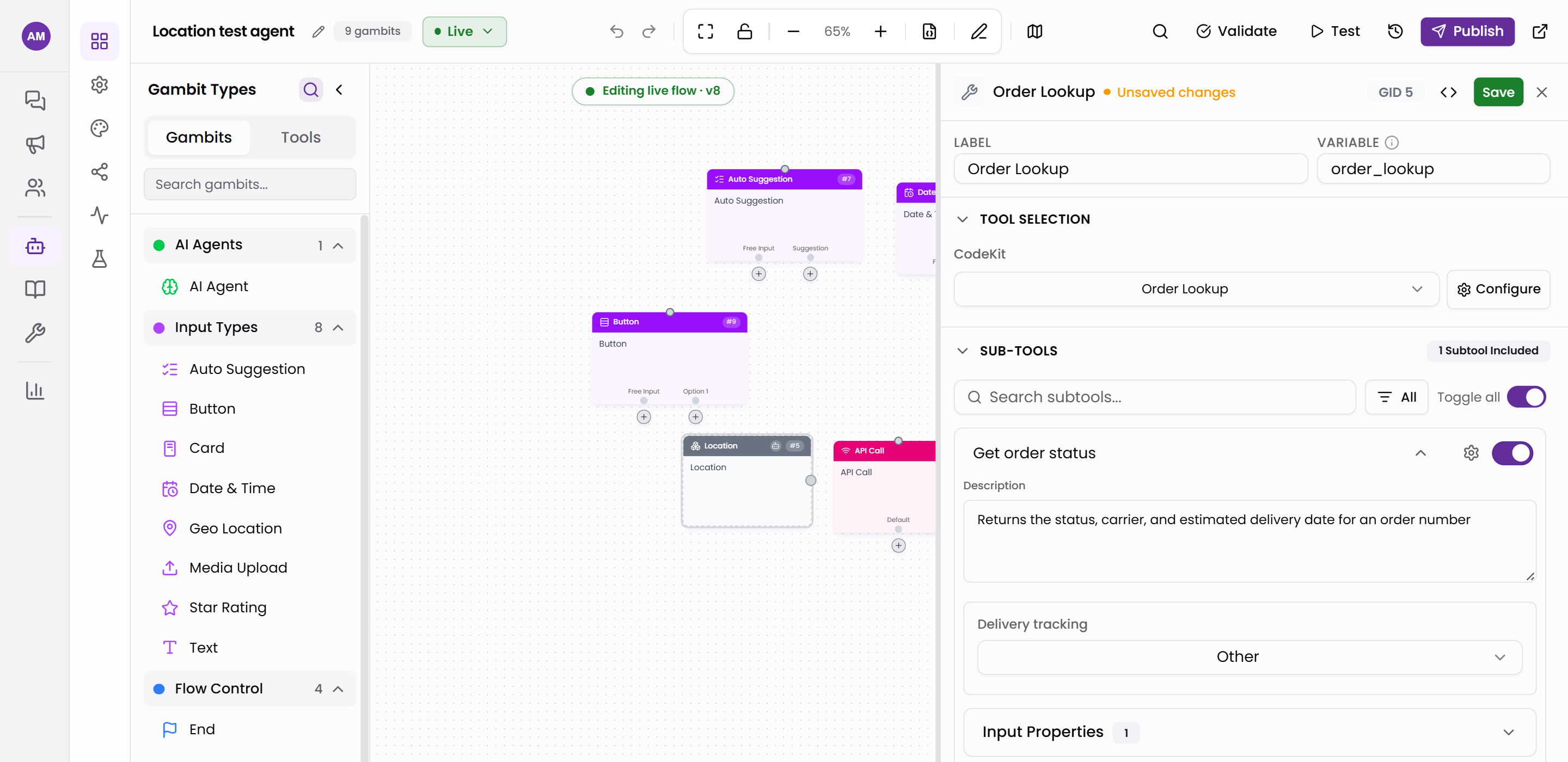
The tool gambit in the builder holds the second list. A tool gambit is the step that puts one toolkit connection into an agent's flow. The AI agent is offered exactly the actions included on that list, whatever the toolkit-page switches say.
Two tool gambits on the same toolkit can offer different actions, so a booking agent and a support agent can share one connection and still have different powers over it.
The agent only reads the fields it needs
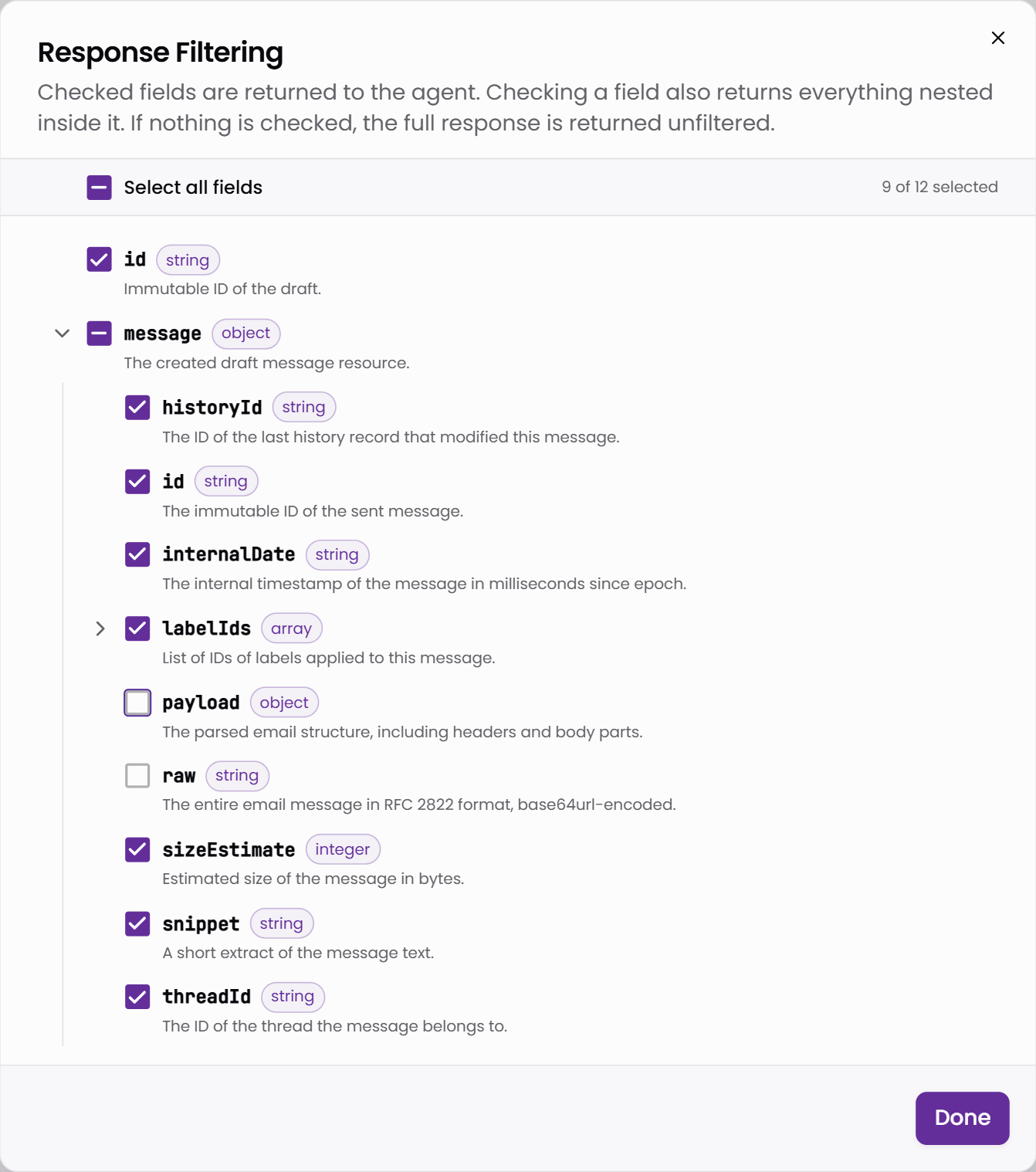
Ask a system for one order and it will happily hand back eighty fields. The agent needs four. The other seventy six are text the model has to look past, and every extra field crowds out something that mattered.
So you can filter a tool's response before the agent sees it. The setting is called Response Filtering. You pick the fields with checkboxes, and checking a field also returns everything nested inside it. Only those fields reach the agent. The same filter works when the tool runs as a flow step.
A tool has to describe itself
The agent decides which action to call and what to put in it. It makes that decision from the names and descriptions in front of it. A tool called getData with no description is a coin flip at runtime.
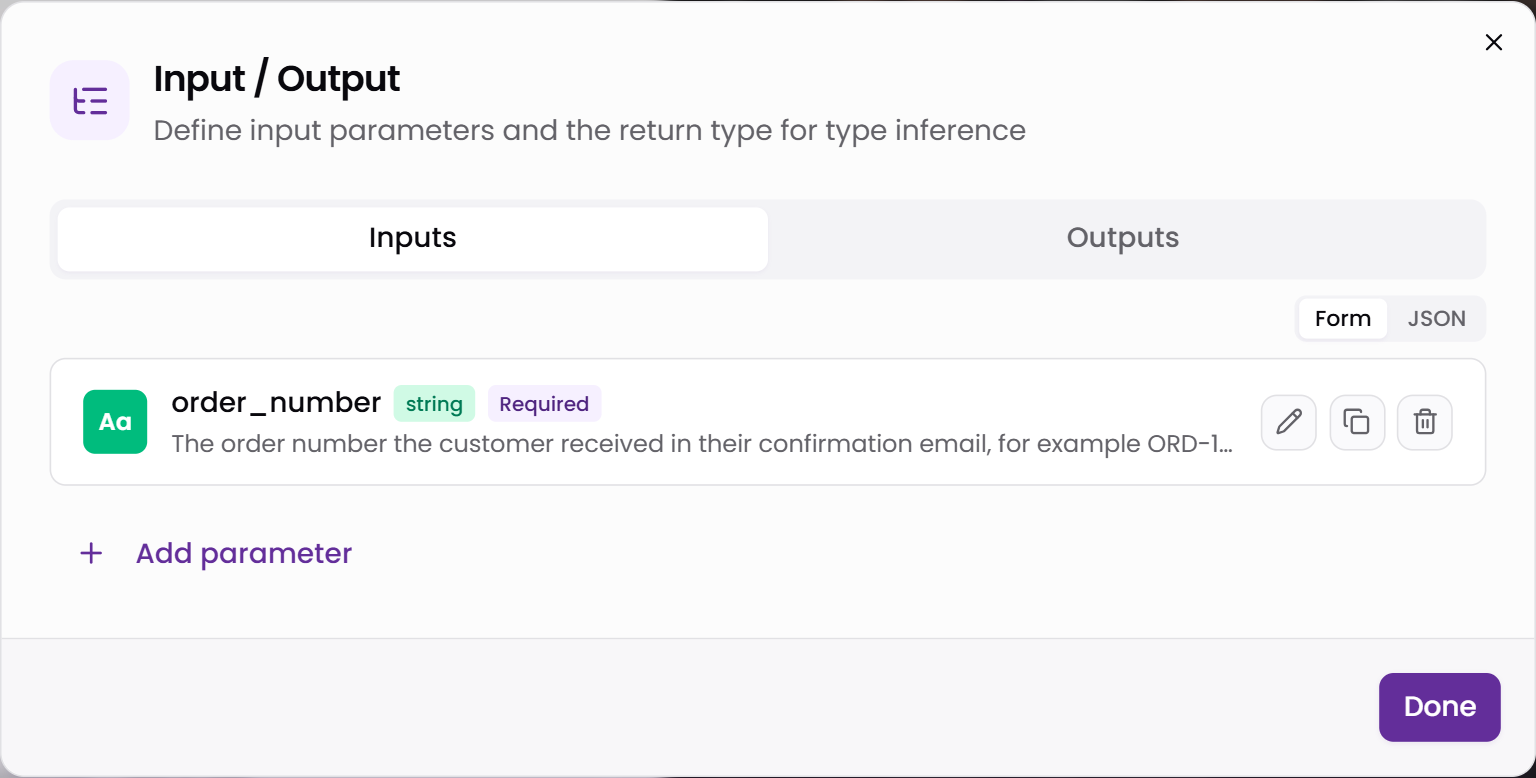
Tars enforces the contract in the interface. A tool gambit on a connected toolkit cannot be saved until every action it includes, and every input you edit, has a written description. CodeKit is stricter: the action, every input, and the output all need one.
What happens when a call fails
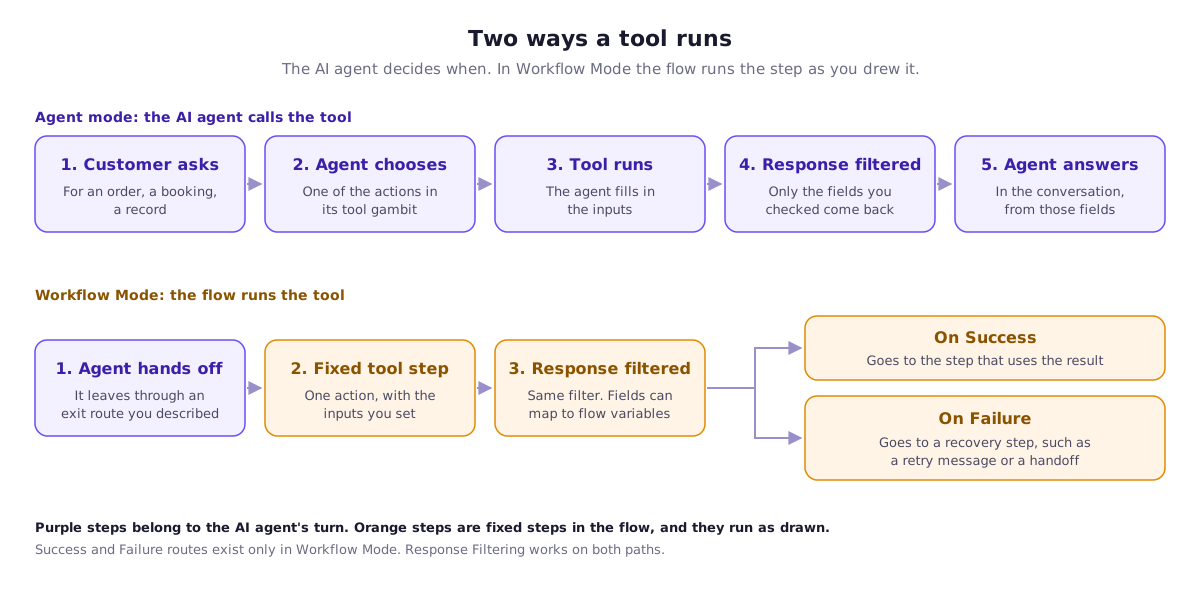
Tool calls fail. The system is down, the credential is stale, the record does not exist. There are two ways a tool can run in Tars, and they fail differently.
Agent mode is what a tool gambit does with Workflow Mode off. The AI agent decides when to call an action you have given it, and it fills in the inputs. There are no routes to draw.
Workflow Mode is a switch on the tool gambit. Turn it on and the flow runs the tool. The agent no longer calls it. The gambit becomes one fixed action running as a flow step, with explicit inputs and separate Success and Failure routes on the canvas.
You point the Failure route at a recovery step, such as a message that offers a retry or a handoff to a person, so a failed call has somewhere to go. You can set retries in both modes, up to two in agent mode and up to four in Workflow Mode.
Connections break, and the Tools page shows you which ones
A connection is not a one-time event. Credentials expire. Someone on the other side revokes access and nobody tells you.
Every connection in Tars carries a state: Connected, Initiated, Expired, Error, Revoked, Not Connected, Not found. Every state that needs fixing has a repair action attached, so the screen tells you what to do.
Reconnecting tries to refresh the existing authorization first, and only opens a new sign-in when the provider rejects the refresh. Everything you had enabled is still there afterwards. Rotating a credential leaves enabled actions and the agents using them untouched.
Before you delete a connection, a "Used by" card shows you which agents are leaning on it. That is a question I used to answer by asking around.
Logs are the other quiet problem. Tool inputs and outputs are full of customer data, so each connection has a Log privacy setting. Turn it on and inputs are stored as [redacted]. Tick one more box and outputs are too.
When the tool you need does not exist yet, write it
CodeKit is for the tool that only your business needs. The one that hits an internal service, or does the three-step thing your team does by hand.
You write the function body in TypeScript. Tars builds the code and hosts the result, so there is nothing for you to run or maintain. Custom code runs in an isolated runtime, and secrets stay separate from the code. Every action returns the same shape, {successful, data, error}, so an agent can handle a failure without guessing at somebody's error format.
Inside the code you get a small tars module:
httpfor outbound calls. A failed request comes back as a result you check. It only throws for an invalid address or a private host.toolkitsto call your connected tools from your own code. The credentials stay with the connection.envfor secrets. They are encrypted at rest, and their values are redacted from execution logs. You can rotate one without a redeploy. A newly added key needs one deploy before the code can read it.
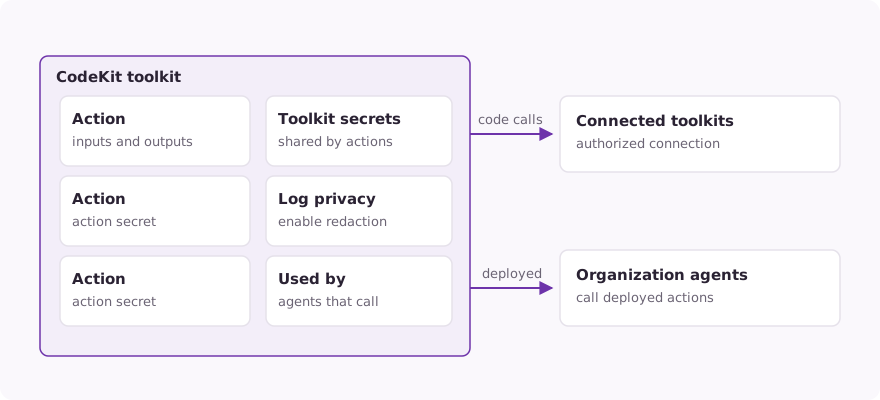
A custom action is retried only when the call failed before its code started, so a retry never runs the code twice. That matters when the action writes something, like a booking.
An action has to be deployed before it can be switched on, and the action picker shows each action's deploy state. Deploying releases the action to your whole organization. While a deployment runs, or after one fails, calls to that action fail until a deployment succeeds.
A tool call can count toward a goal
A tool call can be tagged as delivering one of your goals, such as a lead or a booking. Tagged calls count toward your analytics goals, so the Goals tab in Analytics counts the conversations where the agent delivered a booking or a lead.
What this changes for a CX team
A healthcare desk needs the scheduling system. An insurance desk needs the policy record. The AI agent tools and integrations layer is the same in both cases: connect the system, include the two actions that matter, choose the fields the agent reads, and decide where a failed call goes.
One last thing, for anyone weighing this against building it in-house. Connecting to a CRM is well-trodden ground. The parts that take longer are the ones in the middle of this post: action-level permissions, response filtering, failure routes, connection health, credential rotation, redaction, blast radius before a delete. None of it shows up in a demo. It decides whether the agent still works in month six.
Pick one agent, connect one system, and include exactly one action. That is the fastest way to see the shape of it.
Build innovative AI Agents that deliver results
Ish is the co-founder at Tars. His day-to-day activities primarily involve making sure that the Tars tech team doesn’t burn the office to the ground. In the process, Ish has become the world champion at using a fire extinguisher and intends to participate in the World Fire Extinguisher championship next year.


Recommended Reading: Check Out Our Favorite Blog Posts!
Identity and Data Protection: personal data can be redacted or masked before storage
Generative UI: your AI agent renders tables, charts and forms inside the chat
Agent Evals: how we test AI agents with simulated customers and human-aligned judges